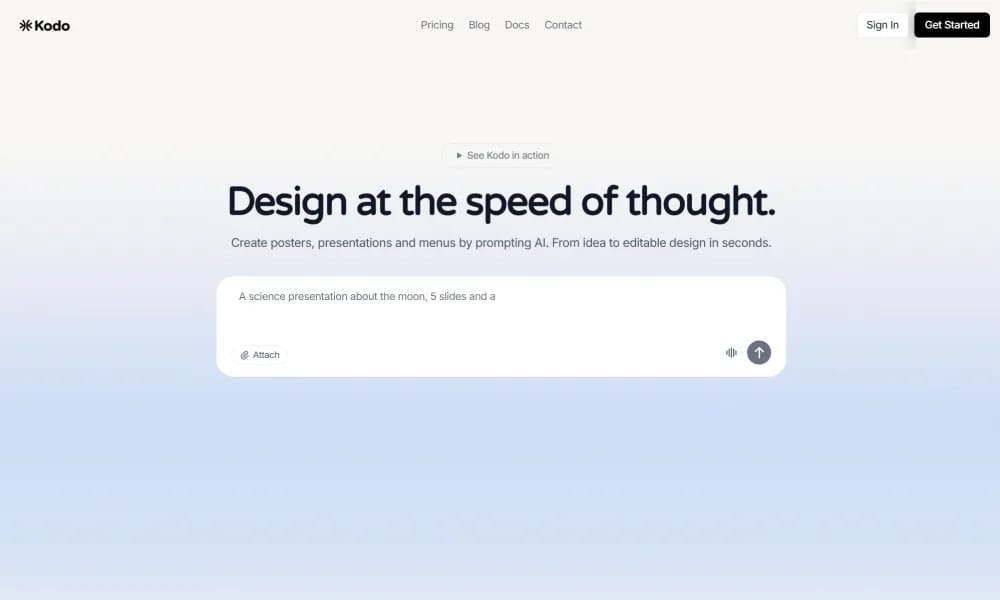
An AI design tool that transforms text prompts into stunning, fully editable professional layouts.
Product Overview
Kodo is an AI-powered design platform that bridges the gap between generative AI and professional vector editing, positioned as a modern alternative to Figma and Canva. It enables users to create complete designs—including layers, assets, and copy—in seconds simply by describing their ideas. Unlike tools that output static images, Kodo generates structured files that can be refined using professional-grade tools and shared via real-time collaboration. Key Features: Prompt-to-Design: Generate posters, presentations, menus, and social media graphics instantly from simple text descriptions. Professional Vector Editor: Includes a suite of vector tools for fine-tuning layers, shapes, colors, and typography after the initial AI generation. Real-time Collaboration: Allows multiple team members to edit the same project simultaneously for a seamless workflow. Brand Kit & Custom Fonts: Supports the integration of personal brand assets to ensure all AI-generated content remains on-brand. Watermark-free Exports: Enables high-quality exports in various formats without watermarks, even on the free tier.
Best For
Designers and teams who want AI-assisted layout generation without sacrificing the ability to fine-tune every element in a professional editor.
Key Features
- Text-to-design generation that creates fully editable layered layouts from prompts
- Vector-based output with full layer editing in a Figma/Canva-style interface
- Automatic asset generation including icons, illustrations, and typography
- Smart copywriting integration that generates and places text content within designs
- Real-time collaboration with team members on the same design canvas
- Export designs as SVG, PDF, PNG, or directly to web formats
Pros
- +Combines generative AI speed with professional vector editing capabilities
- +Produces fully layered, editable files — not flat images
- +Ideal bridge between AI generation and traditional design refinement
Cons
- -Still evolving — some advanced vector editing features are less mature than Figma
- -Complex multi-page layouts can sometimes lose structural coherence
/// SPECS
- Pricing:ProFree
- Platform:Browser
- Free tier available, premium features paid

Miro
Online collaborative whiteboard platform for team brainstorming and visual collaboration.

EchoWave
Free online audio-to-video editor adding waveforms & subtitles for social sharing.

Veed
Online AI video editor for fast professional creation and subtitles.

Tempo
An AI-powered platform for building React apps 10x faster using a visual code editor.

OpenClaw
An open-source personal AI assistant that runs locally and performs tasks via your favorite chat apps.

anirole
An AI platform for real-time anime art generation and immersive character roleplay.

Dreamina
An AI creative suite that transforms prompts and images into high-quality art and videos.

Quiver
An AI creative canvas that transforms sketches and prompts into high-quality vector graphics.

Handwritten Generator
An online tool that instantly converts digital text into realistic handwritten images.

Veeso AI
An AI tool that instantly transforms raw text content into professional, production-ready designs.

Pika
AI video generation platform that turns text and images into stunning videos.

Kling
Kuaishou's advanced AI video generation model for creating realistic videos from text and images.

ElevenLabs
AI voice synthesis platform with ultra-realistic text-to-speech and voice cloning.

Suno
AI music generation platform that creates original songs from text prompts.

Udio
AI music generation tool for creating high-quality audio tracks from text descriptions.

Notion
All-in-one workspace for notes, docs, wikis, and project management.

Zeplin
Design delivery platform for handoff between designers and developers.

Stark
Accessibility toolkit for designers and developers to build inclusive digital products.

Maze
Rapid user testing platform for design validation and product research.