Stark
Accessibility toolkit for designers and developers to build inclusive digital products.
Product Overview
Stark is an integrated accessibility toolkit that helps designers and developers create inclusive digital products with tools for contrast checking, colorblind simulation, focus order, and alt text annotations.
Best For
Best for UI/UX designers, accessibility specialists, and product teams who need to design and validate inclusive digital products by catching accessibility issues early in the design process.
Key Features
- Integrated contrast checker supporting WCAG 2.1 AA and AAA standards with real-time visual feedback, pass/fail indicators, and suggested color alternatives for failing combinations
- Colorblind simulation across all eight types of color vision deficiency including deuteranopia, protanopia, tritanopia, and achromatopsia with side-by-side comparison views
- Touch target size validation that checks interactive elements against WCAG minimum size requirements and provides recommendations for undersized targets
- Focus order overlay that visualizes the keyboard navigation sequence across screens, helping identify illogical or broken tab orders before development
- Alt text annotation tool integrated into the design canvas for adding, reviewing, and auditing alternative text descriptions directly on design mockups
- Smart contrast API that analyzes an entire design file and produces a prioritized accessibility issue report sorted by severity and affected component count
Pros
- +Integrated directly as a plugin within Figma, Sketch, Adobe XD, and Chrome DevTools, meeting designers and developers in their existing workflow without leaving their tools
- +Comprehensive coverage of accessibility checks from color contrast to touch targets to screen reader annotations, reducing the need for multiple separate accessibility tools
- +Real-time color suggestion engine that recommends accessible alternatives without radically altering the original design intent, preserving brand identity while achieving compliance
Cons
- -Full feature set with automated file scanning and reporting requires a premium subscription, reducing the free tier to basic per-element checking only
- -AI-powered color suggestions occasionally produce recommendations that pass contrast requirements but conflict with established brand color palettes or visual hierarchy
/// SPECS
- Pricing:ProFree
- Platform:Browser / Desktop
- Free tier available, premium features paid

Balsamiq
Fast, focused wireframing tool that keeps conversations on structure — not pixels

Axure RP
The most powerful UX prototyping tool for complex, data-driven interactions — no code required
Inkscape
Professional-quality vector graphics editor — free and open source

Miro
Online collaborative whiteboard platform for team brainstorming and visual collaboration.
Veeso AI
An AI tool that instantly transforms raw text content into professional, production-ready designs.
Kodo
An AI design tool that transforms text prompts into stunning, fully editable professional layouts.
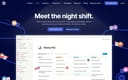
Notion
All-in-one workspace for notes, docs, wikis, and project management.
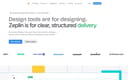
Zeplin
Design delivery platform for handoff between designers and developers.

Maze
Rapid user testing platform for design validation and product research.

Pitch
Modern presentation platform for collaborative storytelling.