Upscayl
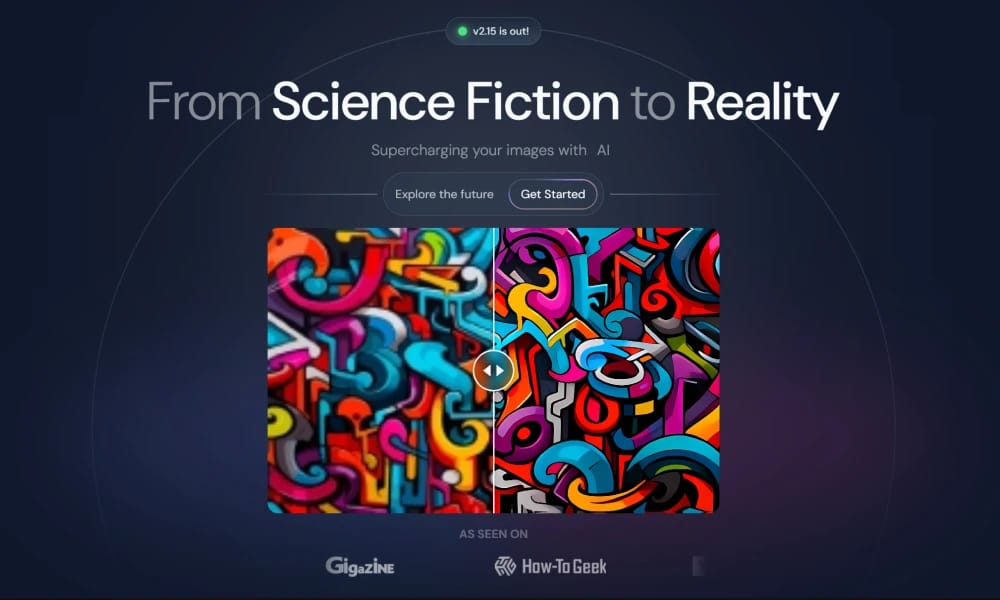
Upscayl is a free and open-source desktop application that uses AI to losslessly upscale and enhance the quality of low-resolution images.
Product Overview
Upscayl is an image upscaling tool that leverages advanced artificial intelligence algorithms to enlarge low-resolution images while preserving or even enhancing details and clarity, avoiding the common blurriness and pixelation issues found in traditional upscaling methods. The tool supports multiple operating systems, including Windows, macOS, and Linux. Upscayl offers various AI models for users to choose from, adapting to different types of images (e.g., photos, artworks, illustrations) and upscaling needs. Users can select the most suitable model based on their image characteristics and desired effects. A key feature of this tool is its open-source nature and ability to run locally. Users can use Upscayl offline on their own computers without uploading images to cloud servers, thereby protecting image privacy. It is an ideal tool for various scenarios such as restoring old images, preparing print materials, and enhancing the quality of web images.
Best For
Photographers, digital artists, and anyone who needs to enlarge images without quality loss while keeping their data private.
Key Features
- AI-powered image upscaling using advanced deep learning models that preserve detail and reduce artifacts
- Multiple upscaling models optimized for different image types: realistic photos, digital art, anime, and textures
- Completely free and open-source with full transparency about the underlying AI models
- Local processing on your own machine with no cloud upload or internet dependency
- Batch processing support for upscaling multiple images in a single operation
- Cross-platform desktop application available for Windows, macOS, and Linux
Pros
- +Free and open-source with no usage limits, watermarks, or subscription fees
- +Privacy-preserving local processing keeps all images on your own computer
- +Produces noticeably better results than traditional interpolation-based upscaling methods
Cons
- -Requires a reasonably powerful GPU for optimal performance and speed
- -Desktop-only with no web or mobile version currently available
/// SPECS
- Pricing:ProFree
- Free tier available, premium features paid

ShapesXR
The "Figma" for VR/AR Design

Experte Background Remover
Experte.com offers a free online tool for automatically removing image backgrounds.

Bubble
The No-Code Platform to Build Any Web App
Blush
Blush is an online illustration customization platform founded by Pablo Stanley, aggregating global artist resources to provide free commercial illustrations with seamless Figma/Sketch integration.

StoryTribe
A free online storyboard maker that allows creating professional illustrations and storyboards without drawing skills.

Palette
Palette.fm is an online tool that uses artificial intelligence to automatically colorize black and white photographs.

ImgUpscaler
ImgUpscaler is an online AI tool for losslessly upscaling images and enhancing their quality.

FocoClipping
FocoClipping is an online tool that utilizes AI for intelligent image cutout and editing.

TinyWow
TinyWow offers a large collection of free online tools, covering PDF, image, video, and other file processing functions.

illustration
Illustration.app (formerly IllustraAI) is an AI-powered vector illustration platform that generates custom SVG/PNG graphics via text prompts, offering style customization and brand color matching for commercial visual content creation.