Render a House
AI-powered photorealistic renders from architectural drawings
Product Overview
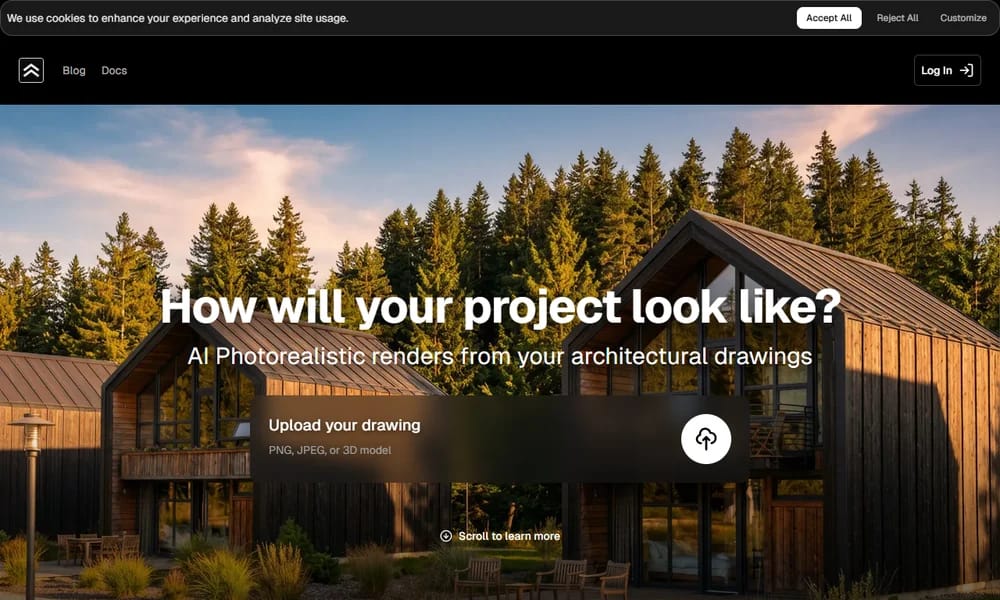
Render a House is an AI-powered architectural visualization platform that transforms hand sketches, CAD drawings, floor plans, and 3D models into photorealistic renders in seconds. Built for architects, designers, real estate professionals, and students, it eliminates the bottleneck of traditional rendering workflows while preserving design intent through intelligent material, lighting, and environmental controls. The platform offers three render models — Fast, Standard, and Pro — allowing users to balance speed and quality based on project stage. Users can adjust time of day, weather conditions, and environmental location (beach, forest, suburb, countryside) to explore how a building looks across different contexts without manual rework. Beyond still renders, Render a House supports AI inpainting for targeted local edits, video generation for walkthrough presentations, and 3D model import (GLB, GLTF, OBJ). Style presets range from real photo and sketch to blueprint and watercolor. A chat-based AI assistant guides prompt creation, making the tool accessible even to users without rendering expertise.
Best For
Best for architects, designers, and real estate professionals who need fast photorealistic renders from sketches, floor plans, or 3D models
Key Features
- Upload hand sketches, CAD drawings, floor plans, or 3D models (GLB, GLTF, OBJ)
- Three render models — Fast, Standard, Pro — balancing speed and output quality
- Time-of-day, weather, and environmental location controls
- Built-in style presets: real photo, sketch, blueprint, watercolor, concept art
- AI inpainting for localized edits without regenerating the full render
- AI video generation for walkthrough-style architectural presentations
- Custom style upload using reference images
- Chat-based AI assistant for guided prompt creation
- High-resolution output up to 4K with AI enhance and upscale
- 3D scene preview with terrain, model replacement, and sun positioning
Pros
- +Radically faster than traditional rendering (seconds vs hours)
- +Works directly with hand sketches, CAD, and 3D models
- +No specialized GPU or rendering hardware required
- +Maintains design intent with adjustable controls
- +Affordable entry point with generous free tier
Cons
- -Primarily focused on architectural and residential use cases
- -Free tier limited to 3 credits per day with watermark
- -No native team collaboration features
/// SPECS
- Pricing:ProFreebasicstudio
- Platform:Web
- Free: 3 credits/day; Basic $19/mo, Pro $39/mo

ShapesXR
The "Figma" for VR/AR Design

Motionfly
AI product launch video generator with 3D device mockups

PixPix
AI-powered image & video platform for e-commerce sellers

Attention Insight
AI-powered attention prediction and visual analytics

Hitem3D
High-resolution AI 3D model generation

Sparc3D
Sparc3D is a revolutionary AI-powered 3D generation platform.

Shutterstock
The One-Stop Creative Platform for the Mass Market

Ardot
AI-powered design agent platform by Tencent Design

Miora
Tencent's AI-native creative studio for image, video, UI/UX and 3D

Expression Editor AI
Change facial expressions, emotions, and head positions using AI
ImagineArt
AI Creative Suite for Images, Videos, and Audio

PNGMaker
Turn text prompts into high-quality transparent PNG images

xFigura
AI-powered collaborative ideation platform for architects and designers

Chronicle
AI-powered documentation generated from real code

Magic Patterns
AI prototype generator for product teams

Aura Build
AI-powered website builder and design assistant

Frontitude
UX content management platform for multilingual products

Neural4D
Fast AI 3D model generator from text and images

Fast3D
Create 3D models with AI in seconds

TRELLIS 3D
Transform 2D images into 3D models with AI

Tripo AI
Tripo AI generates 3D models from text, images, or doodles in seconds, with professional geometry and PBR materials for games, printing, and metaverse.

ZOO
AI-powered CAD software blending text prompts with traditional tools for efficient hardware design.