Product Overview
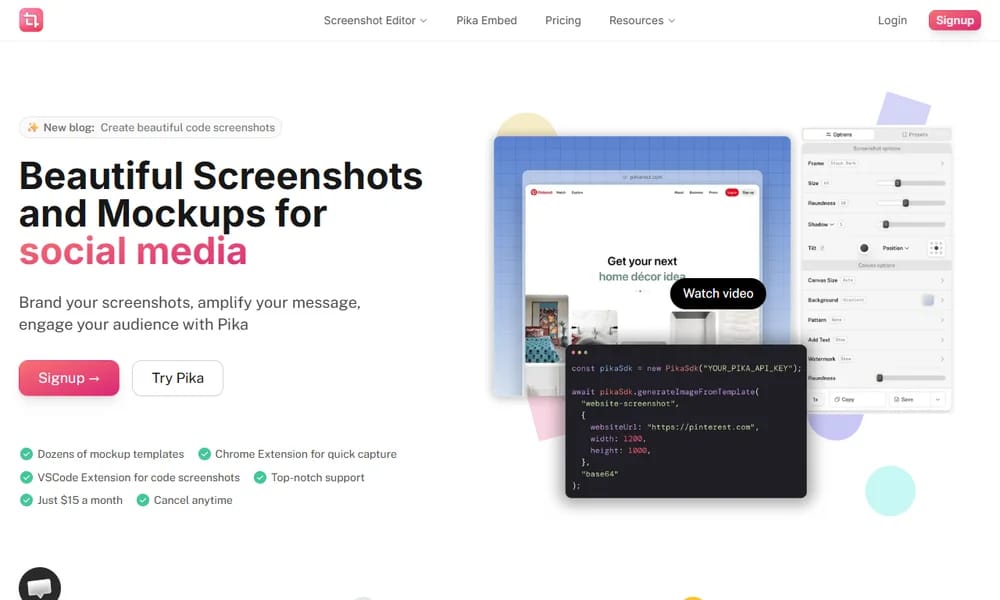
Pika is a free online tool that makes screenshots and images look more polished and professional. It lets you add clean background gradients, stylish device frames, shadow effects, and rounded corners to any image or screenshot. With a simple drag-and-drop interface, you can create social media visuals, portfolio images, presentation screenshots, and app store previews instantly. Pika supports export to PNG and WebP formats with transparent backgrounds.
Best For
Designers, developers, and content creators who need quick, polished screenshots and mockups
Key Features
- Clean background gradients and solid color backdrops
- Stylish device frames for mobile, tablet, and desktop
- Adjustable shadow effects and rounded corners
- Drag-and-drop interface for instant mockups
- Export to PNG and WebP with transparency support
- Custom aspect ratios for social media and presentations
Pros
- +Completely free with no watermark or account required
- +Very fast and intuitive to use
- +Great for creating social media visuals and portfolio images
Cons
- -Limited customization compared to full design tools
- -No batch processing for multiple images at once
/// SPECS
- Pricing:Free
- Platform:Web
Newt
A code-based pixel art editor where every pixel is written, not drawn
Vizcom
Turn hand-drawn sketches into realistic 3D renders with AI

Screen Studio
Professional screen recording for designers with auto-zoom and motion blur

Shapr3D
Professional 3D CAD modeling for iPad and Mac
Space Type Generator
Create stunning kinetic typography and text animations online

Vidu Studio
AI-driven video generation with exceptional consistency and realism

Bitmap Forge
Convert 3D models into mesmerizing ASCII art animations online
Modyfi
Next-gen browser-based design tool with image editing and shaders

Motionity
Free open-source web-based motion graphics editor

Cleanup.pictures
Remove unwanted objects, people, and defects from photos with AI