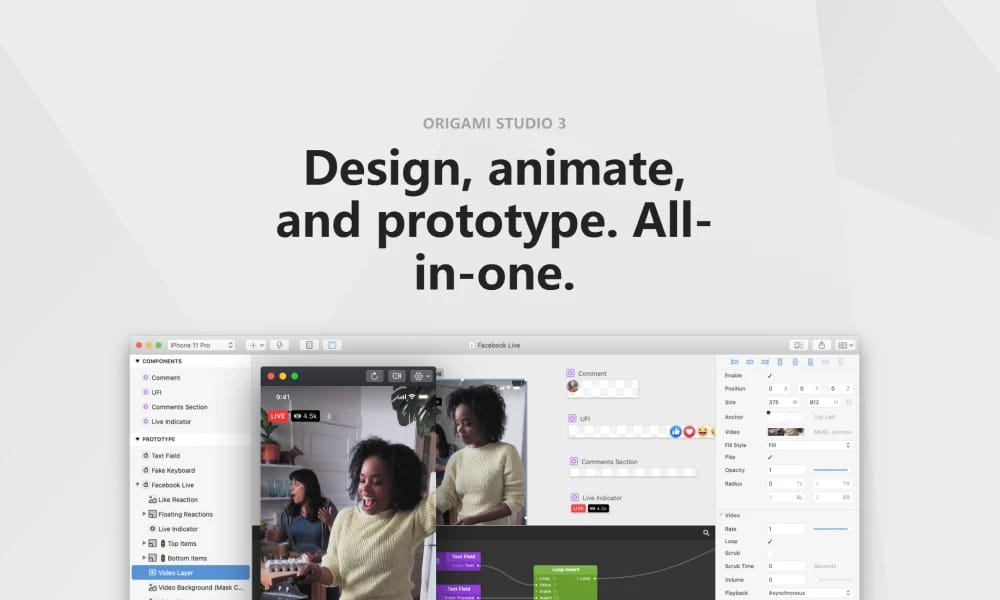
Product Overview
Origami Studio is a free and exceptionally powerful prototyping tool created by the team at Meta (Facebook). It's designed for building and testing complex, native-level interactions that are difficult or impossible to create with other tools. Node-Based Logic (Patch Editor): Build interaction logic by connecting different functional blocks (Patches) rather than using a timeline or simple links. This grants designers nearly unlimited creative freedom to achieve code-level complexity. Unparalleled Native Fidelity: Seamlessly access native device APIs, including the camera, gyroscope, haptic feedback, and multi-touch gestures. This allows for prototypes that are virtually indistinguishable from a final, polished app. Integration with Design Tools & Live Previews: Import designs directly from Sketch and Figma, then instantly preview and test them on real devices using the Origami Live app to ensure the experience feels perfect on the target platform. Origami Studio is not an everyday UI/UX tool; it's a specialized powerhouse for professional designers pushing the boundaries of interaction and needing to validate innovative ideas. While it has a steep learning curve, the results it can achieve are truly unmatched.
Best For
Origami Studio is not an everyday UI/UX tool; it's a specialized powerhouse for professional designers pushing the boundaries of interaction and needing to validate innovative ideas. While it has a steep learning curve, the results it can achieve are truly unmatched.
Key Features
- Node-Based Logic (Patch Editor): Build interaction logic by connecting different functional blocks (Patches) rather than using a timeline or simple links. This grants designers nearly unlimited creative freedom to achieve code-level complexity.
- Unparalleled Native Fidelity: Seamlessly access native device APIs, including the camera, gyroscope, haptic feedback, and multi-touch gestures. This allows for prototypes that are virtually indistinguishable from a final, polished app.
- Integration with Design Tools & Live Previews: Import designs directly from Sketch and Figma, then instantly preview and test them on real devices using the Origami Live app to ensure the experience feels perfect on the target platform.
Pros
- +Free to use
- +Real-time collaboration
- +Interactive prototyping
- +Developer-friendly
Cons
- -May require design experience
- -Advanced interactions need coding
/// SPECS
- Pricing:ProFree
- Free tier available, premium features paid

Lunacy
The Ultimate Free Design

Penpot
The Open-Source Design Platform Built for Freedom

Justinmind
Prototyping for Enterprise Applications

Pixso
The Next-Generation Collaborative Design Platform

Webflow
The No-Code Platform to Build for the Web

Adobe Photoshop
The Industry Standard for Digital Imaging

Procreate
The Ultimate Digital Art Studio for iPad

UXPin
Where Design Meets Code

ProtoPie
The High-Fidelity Interaction Prototyping Tool

Adobe Illustrator
The Industry Standard for Vector Graphics