Morph Studio
All-in-one AI video creation suite integrating top models for image & video generation.
Product Overview
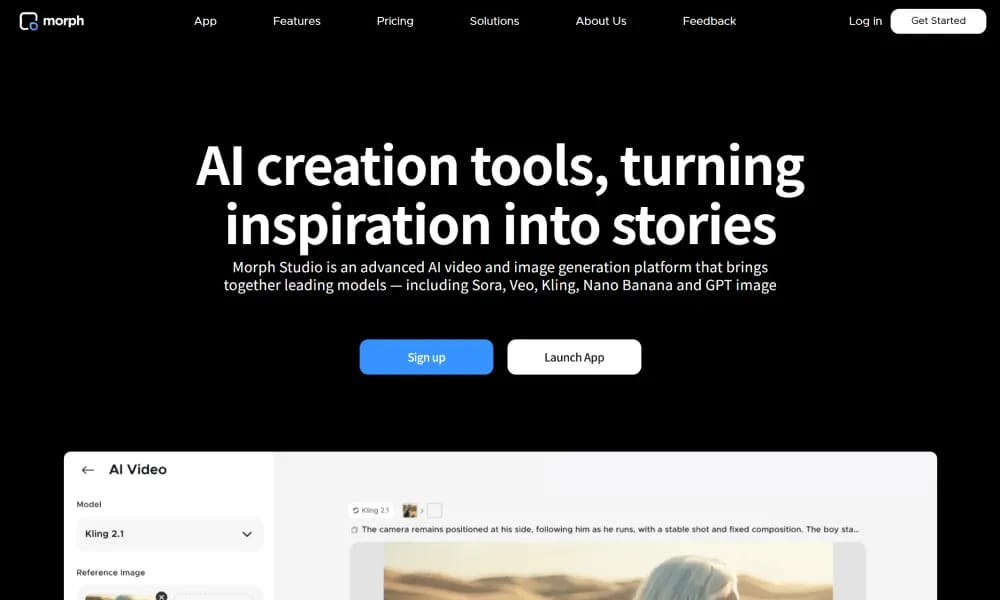
Details and main features: Morph Studio is a comprehensive AI visual creation platform that integrates multiple leading models (e.g., Sora, Veo, Kling, Luma, Runway, Hailuo) in one place, supporting text/image-to-video, text-to-image, and video style transfer to help users turn inspiration into complete stories quickly. It targets amateur creators, professional studios, AI artists, filmmakers, and content producers. Key advantages include a unified workflow, interactive canvas (Borderless/Open Canvas) for arranging, editing, and connecting generations into narratives, strong consistency in intricate patterns, and high-quality cinematic outputs. Suitable for storyboard-style video production, marketing content, 3D animation prototypes, portrait restyling, background replacement, etc., significantly improving creation efficiency and coherence. Supports various generation modes with high-quality image/video output, emphasizing creative control and storytelling. Main features Text-to-video: Generate cinematic videos using 10+ top-tier models from prompts. Image-to-video: Convert static images to dynamic videos with precise control. Text-to-image: Create high-quality images from prompts in diverse styles. Video style transfer: Convert videos to anime, pixel art, and other artistic styles. Interactive canvas: Drag-and-drop arrangement, editing, and connection of creations into stories. One-click portrait restyling: Adjust hair color/shape/texture and animate. Background replacement/redesign: Seamlessly swap backgrounds and extend to video. Batch processing & enhancement: Fast generation and optimization, with commercial rights (paid).
Best For
AI content creators and visual artists who want to experiment across multiple state-of-the-art video generation models from a single dashboard.
Key Features
- Unified interface accessing Sora, Veo, Kling, Luma, Runway, and Hailuo models without switching tabs or accounts
- Text-to-video and image-to-video generation with customizable motion intensity, camera movement, and style presets
- Video style transfer that applies artistic filters, animation styles, and cinematic looks to existing clips
- Batch generation mode for creating multiple video variants from the same prompt with different model backends
- Built-in prompt library with community templates and trending styles for faster ideation
- Side-by-side model comparison tool to preview the same prompt across different AI engines before exporting
Pros
- +Eliminates the hassle of managing multiple subscriptions and logins for different AI video models
- +Enables creative experimentation by comparing outputs from different models for the same prompt instantly
- +Regularly adds new state-of-the-art models as they launch, keeping the platform future-proof
Cons
- -Output quality and capabilities vary significantly depending on which underlying model is selected
- -Each generation consumes credits that are tied to specific models, with top-tier models costing more per generation
/// SPECS
- Pricing:ProFree
- Platform:Browser
- Free tier available, premium features paid

Wondershare Filmora
Intuitive AI video editor for creating professional 4K content effortlessly.

UniConverter
All-in-one AI video converter and enhancer for 4K/8K fast processing and editing.

Moonvalley
AI video generation platform with cinematic precision control and studio-grade quality.

Synthesia
AI tool that creates professional videos with realistic talking avatars from text/scripts.

Videoleap
AI-powered mobile video editor for creating pro short videos and effects easily.

D-ID
AI platform for creating realistic talking avatar videos from text/images with multilingual support.

PixVerse
AI video generator turning text and photos into dynamic content and viral effects.

HeyGen
AI video platform creating professional talking-head videos with realistic avatars from text.

Fliki
AI platform turning text into videos with lifelike voiceovers.

Lightricks
AI tech company creating mobile photo/video editing and generation tools for creators.