Product Overview
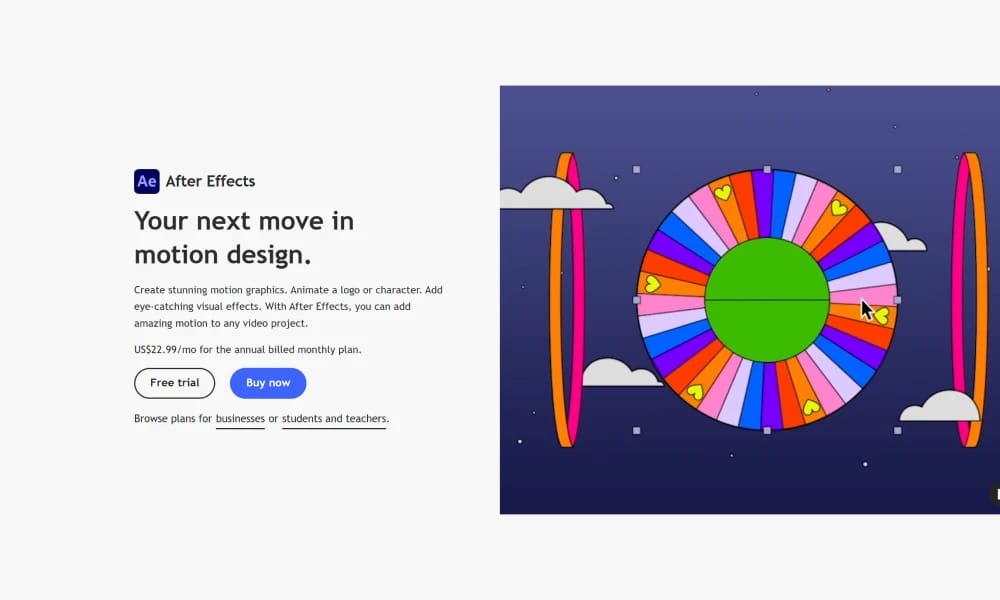
Adobe After Effects (AE) is the premier software for creating motion graphics and visual effects (VFX). Often hailed as the "Photoshop for video," it is the ultimate tool for professionals to breathe life into static visual elements and craft stunning visual spectacles. Layer-Based Compositing & Keyframe Animation: This is the core of the AE workflow. Much like in Photoshop, you can stack countless layers of video, images, text, and solids. By setting keyframes on a timeline, you gain precise control over every property of each element over time (position, scale, opacity, etc.) to orchestrate complex, dynamic scenes. Vast Effects Library & Plugin Ecosystem: AE comes with a treasure trove of hundreds of powerful built-in effects and presets, covering everything from particle simulations and light effects to color correction. More importantly, it is supported by an unparalleled third-party plugin ecosystem (e.g., Trapcode Suite, Element 3D) that unlocks limitless creative possibilities. Unparalleled Adobe Ecosystem Integration: As a cornerstone of the Creative Cloud, AE features seamless Dynamic Link with Premiere Pro (video editing), Illustrator (vector graphics), and Photoshop (image editing). This enables a fluid and incredibly efficient workflow for collaborating and making changes across specialized tools. Adobe After Effects is not a video editing program; it's a powerful "visual magic" creation platform. From dazzling title sequences and animated infographics to complex visual effects in films, AE is the indispensable industry cornerstone for bringing creative visions to life.
Best For
Adobe After Effects is not a video editing program; it's a powerful "visual magic" creation platform. From dazzling title sequences and animated infographics to complex visual effects in films, AE is the indispensable industry cornerstone for bringing creative visions to life.
Key Features
- Layer-Based Compositing & Keyframe Animation: This is the core of the AE workflow. Much like in Photoshop, you can stack countless layers of video, images, text, and solids. By setting keyframes on a timeline, you gain precise control over every property of each element over time (position, scale, opacity, etc.) to orchestrate complex, dynamic scenes.
- Vast Effects Library & Plugin Ecosystem: AE comes with a treasure trove of hundreds of powerful built-in effects and presets, covering everything from particle simulations and light effects to color correction. More importantly, it is supported by an unparalleled third-party plugin ecosystem (e.g., Trapcode Suite, Element 3D) that unlocks limitless creative possibilities.
- Unparalleled Adobe Ecosystem Integration: As a cornerstone of the Creative Cloud, AE features seamless Dynamic Link with Premiere Pro (video editing), Illustrator (vector graphics), and Photoshop (image editing). This enables a fluid and incredibly efficient workflow for collaborating and making changes across specialized tools.
Pros
- +Real-time collaboration
- +Cloud-based, no installation needed
- +Color palette generation
- +Large media library
Cons
- -May have a learning curve
- -Free tier has limited functionality
/// SPECS
- Pricing:ProFree
- Free tier available, premium features paid

Vectary
The Online 3D and AR Platform for Designers

Lottie Creator
The Official Animation Tool from LottieFiles

Proto.io
The Ultra High-Fidelity Prototyping Platform for Mobile

Cinema 4d
The 3D Powerhouse for Motion Graphics

Spline
The Easy Way to Create 3D for the Web

Dora
The No-Code Platform for 3D Animated Sites
Lottielab
The Online Animation Editor Built for Lottie
Cavalry
The Procedural Powerhouse for Motion Design

Womp
The Goopy 3D Modeling Platform for Everyone
Rive
The Real-Time Interactive Animation Platform